Moth Console
The control room for your Moth key
Browse every model with its price against the maker's list, make keys with spending caps and Shield, try a model in the Playground before you write code, and follow every call on one balance in USDG.
Models
Every model on one key, each with its price against the maker's list price.
On one key
48models
19 chat, 9 image, 17 video and 3 music
Search by name, ID or maker, sort by saving, and open any model for its price, its context window and its privacy.
Browse the models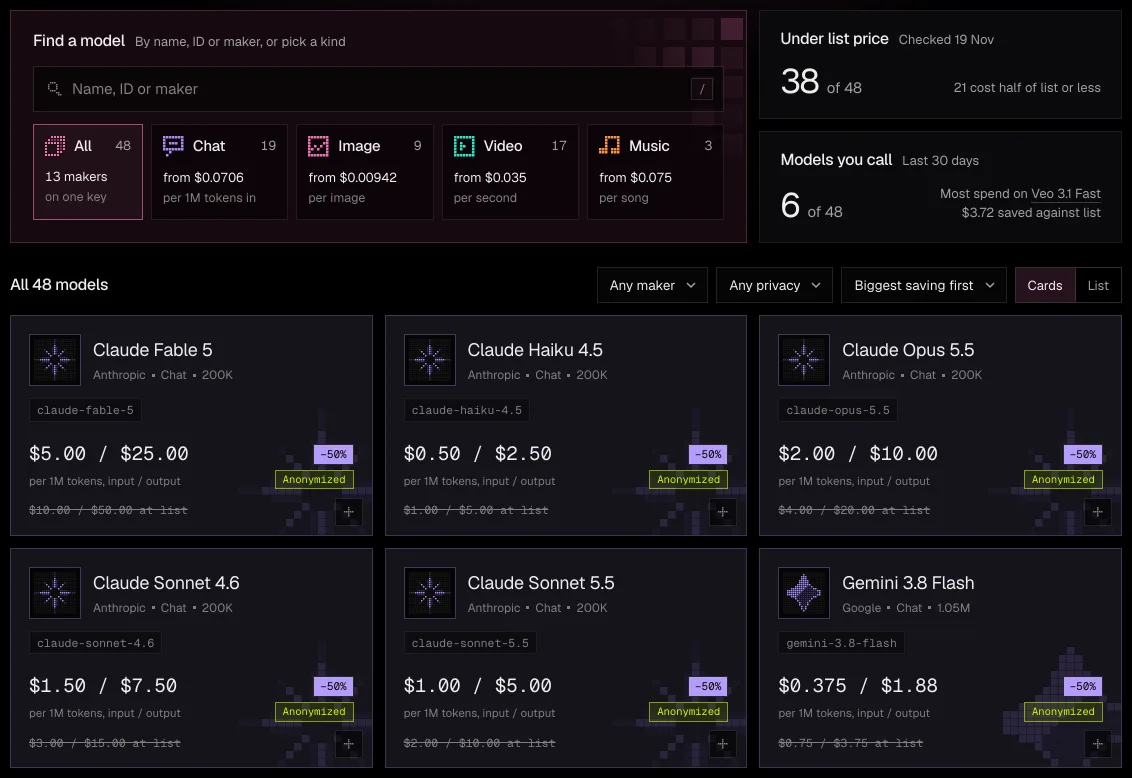
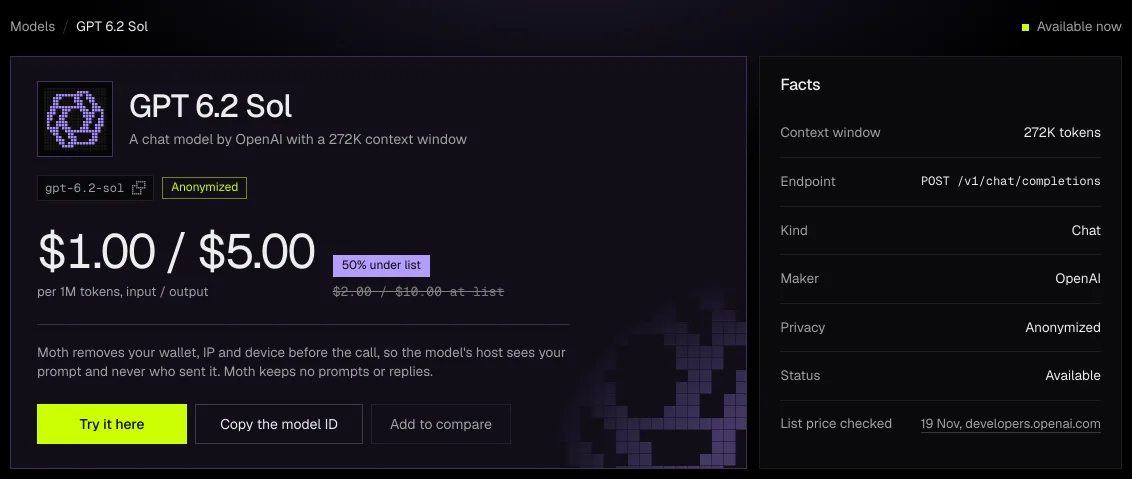
A page for each model
The price per million tokens, image, second or song beside the maker's list price, the day that price was checked, and the code to call it.
Compare
Put models side by side to weigh price, context and privacy before you pick one.
Above list, said plainly
The few models that cost more than their maker's list price say above list instead of showing a saving.
Keys
One moth_ key reaches every model, and each key carries its own limits.
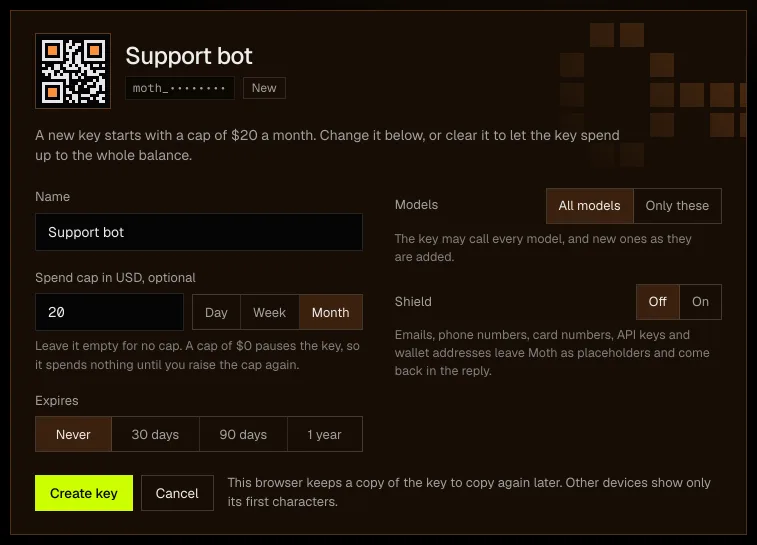
A key for each app
Give each app or teammate its own key, with a spend cap by day, week or month, the models it may call and a date it expires. A cap of $0 pauses a key until you raise it again.
Make a keyShield
Turn it on for a key, and emails, phone numbers, card numbers, API keys and wallet addresses in a prompt leave Moth as placeholders and come back in the reply.
Copy it again
The browser that made a key keeps a copy, so you can copy it again later there. Moth's servers keep only a hash of it.
Playground
Try any model in the browser before you write a line of code.
Try it, then copy it
Send a prompt to a chat model or make an image, a clip or a song, see what the run cost, and copy the same request as code.
Open the Playground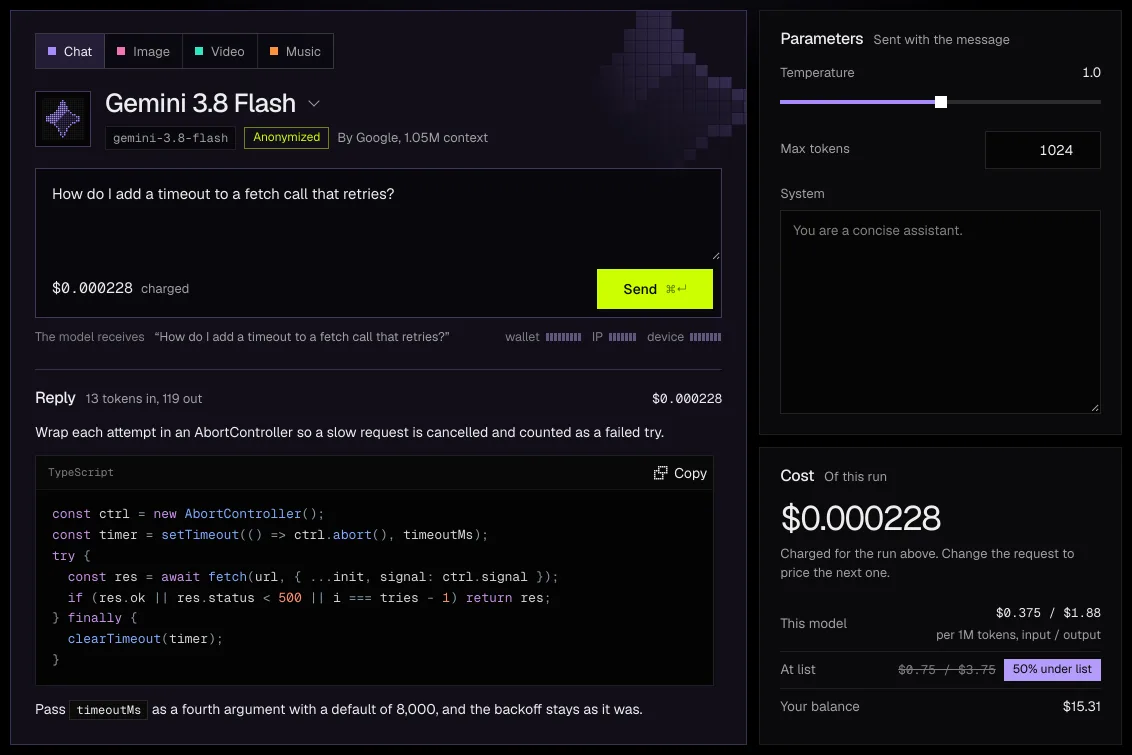
What the model receives
Above every run the Playground shows what reaches the model, the prompt alone, with your wallet, IP address and device removed.
The price of each run
Each reply shows its tokens and its charge, beside the model's price and its maker's list price.
Usage
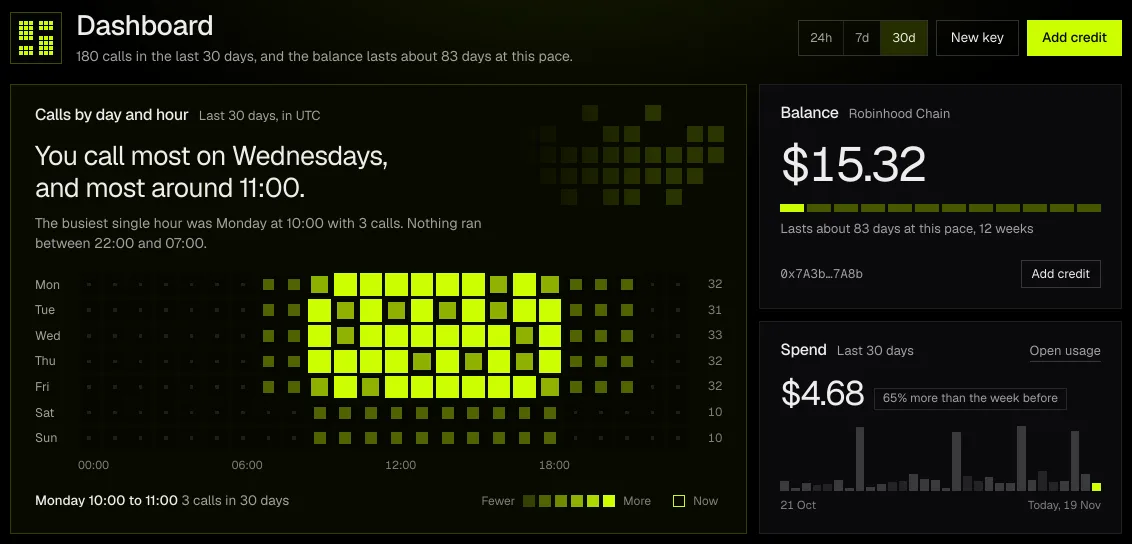
Every call on one balance, by day, by hour and by key.
Where the balance goes
The Dashboard maps your calls by weekday and hour, says how long the balance lasts at your pace, and shows what you saved against list prices.
See your usageSpend by day
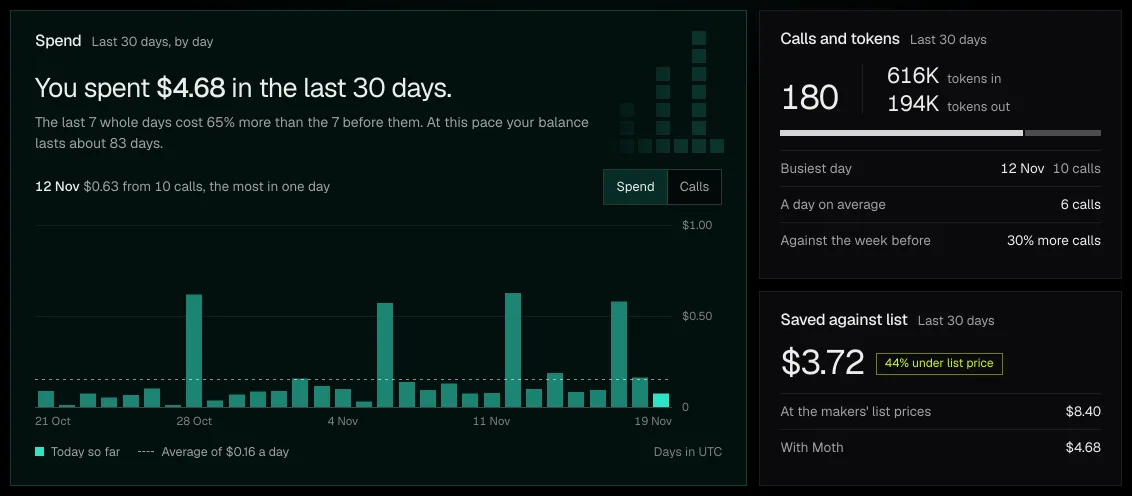
Spend or calls for each day in the range, with the busiest day, the daily average and the change from the week before.
Logs
Every call with its model, its key, its size and its charge. Moth keeps no prompt and no reply, so a log holds counts and charges only.
Billing
One balance pays for every model, in Moth Chat and through your keys.
Credit in USDG
Send USDG on Robinhood Chain from the wallet you signed in with, or from any wallet or exchange to your own deposit address. It counts one to one with the dollar and is credited in full once the chain finalizes the payment.
Add credit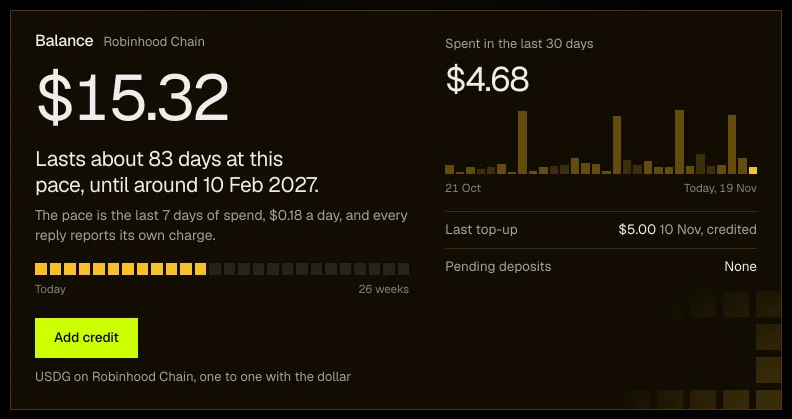
Credit codes
A code adds credit once per wallet. Redeeming sends no transaction, so it costs nothing and needs no gas.
Prepaid, from $1
You add what you mean to spend, and each call is held and then settled against the balance, so a key never spends more than you put in.
Start
Three steps from a wallet to your first call.
Your first call
curl https://api.runmoth.si/v1/chat/completions \
  -H "Authorization: Bearer ${MOTH_API_KEY}" \
  -H "Content-Type: application/json" \
  -d '{
    "model": "gemini-3.8-flash",
    "messages": [{ "role": "user", "content": "Hello" }]
  }'
Put your own key in MOTH_API_KEY. Any model ID from the catalogue works in its place.
Connect a wallet
Sign once on Robinhood Chain. The wallet is your account, with no email and no password.
Add credit
Send USDG to your balance from $1, or redeem a credit code.
Make a key and call
Make a moth_ key in Keys, point your SDK's base URL at the Moth API and keep the code you have.
Sealed models come after launch
A few open-weight models will run in attested hardware, so the content stays hidden from the host and from us. Until then every model runs Anonymized, with your identity removed before the request leaves.
Get startedthree steps
Private AI,below list price
Open Moth Chat, connect a wallet and ask your first question, or read the docs and point your SDK at the Mothpoint.
- 1Connect a walletSign one message on Robinhood Chain, with no email and no form.
- 2Top upSend USDG to your own deposit address, or $MOTH once it launches.
- 3Use any model, privatelyIn Moth Chat, or from your SDK with a key from Moth Console.